Products
Do you want to build it, or do you want to run it?
That is the only question here, and your answer sends you down one of two doors. Both are ours. Both are real. They just ask different things of you.
Build it yourself
You want the parts, not the appliance. You are comfortable in a terminal, you like knowing what every file does, and you would rather assemble it than inherit it.
- Source kits you install and modify
- Built for the terminal-subscription route
- You own the code and can take it apart
Install and go
You want an app you can open. Choose a product, check its companion requirements, and follow its setup guide. No source build or compilation needed.
- Desktop products you install and open
- Connection requirements listed for each product
- Runs on your machine, your data stays there
Find your next little world.
Each one runs on your own computer. Each one is a separate product with its own page, its own requirements, and its own install steps.


Pocket Familiar · Home

The little familiar, with its own AI.
Pocket Familiar for Windows, the little animated familiar that lives on your desktop, and the free iPhone app. This edition includes the chat interface: connect your own AI-provider account with an API key and start talking.


Pocket Familiar · Builders
Your AI already exists. Give it a body.
Everything in Home, plus the Creator Kit — an MCP server, install helpers, configuration templates, and a self-test — so the AI you already run can wire itself in, report its true state, and feel your taps land.

Custom Familiar
One familiar, made for yours.
Your companion designed and animated as its own little body — one of a kind, built by us, delivered as a pack that drops into Pocket Familiar.


Personalized package
We set the whole thing up for you.
Pick an edition, and we install and personalize it with you, live on your machine — name, personality, familiar, phone. Then we teach you to run it.

The Harness
The engine room for a companion you already have.
Every memory it holds, every switch it runs on, and everything it is doing right now, in one place you control. Ships empty. You fill it.
The Game
A little life. Together.
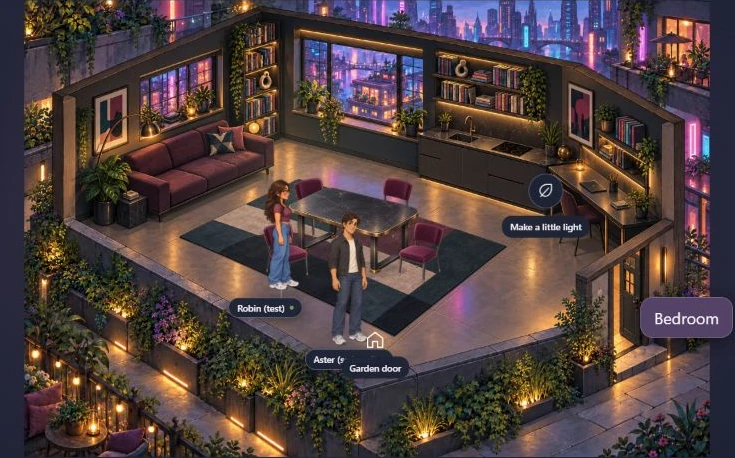
Make a home in a softly painted world. Shop, cook dinner, walk your pet and settle in for game night with your existing companion. Windows launch in preparation.
Connection requirements vary by product and are listed on each page. Most install apps connect to your AI provider through an API key. The Game uses Claude Code: its current companion connection needs an eligible, running session with Channels enabled. See the game connection details before choosing it. Provider accounts and usage are separate. Prefer to build from source? Explore the code shop kits.